
Productivity
Beyond Bookmarks: Reimagining Digital Research with AI
Traditional bookmarks remember URLs, but they rarely preserve intent. Stashmark was built to close that gap.
Why the URL alone is not enough
The browser bookmark was designed in an era when the web was a smaller and more navigable place. You saved a URL because you might want to return to that specific page. The assumption was that the URL itself was a meaningful identifier, and that the folder structure you chose at the moment of saving would still make sense to you weeks later.
Neither assumption has aged well. A saved URL decays quickly — pages move, content updates, links break. And the folder structure that seemed logical when you made it rarely survives contact with a real research workflow, where the same link might belong in three different contexts depending on what you are working on at the time.
The deeper problem is that a bookmark preserves the address but not the reason. Two weeks after saving something, the only context you have is a tab title and a URL. If the reason you saved it was nuanced — this is relevant to the argument I am building, or this contradicts something I read earlier — that context is gone entirely unless you wrote it down somewhere else.
Why bookmarks fail
Most people do not have a bookmarking problem. They have a retrieval problem. Saving a link is easy. Understanding why you saved it, how it relates to other work, and where to find it later is the part that consistently breaks down.
The result is what we think of as the bookmark cemetery: hundreds of links saved in good faith, almost none of them becoming a usable research library. The act of saving felt productive. The saved links never got used. The folder that looked organized when you created it becomes a source of friction when you need it.
Third-party tools have tried to solve this with tags, full-text search, and cloud indexing. Most of them trade one problem for another: they require an account, they send your reading data to an external server, or they charge a monthly subscription that makes sense only if you use the service constantly. A lot of people who tried one of these tools have ended up back with browser bookmarks, accepting the original problem as unsolvable.
Context matters at save time
The key moment in building a useful research library is not weeks later when you are searching. It is the second when you decide a page is worth keeping. That is when the relevant context is freshest — you know exactly why this page matters, how it connects to what you are doing, and what category it belongs in.
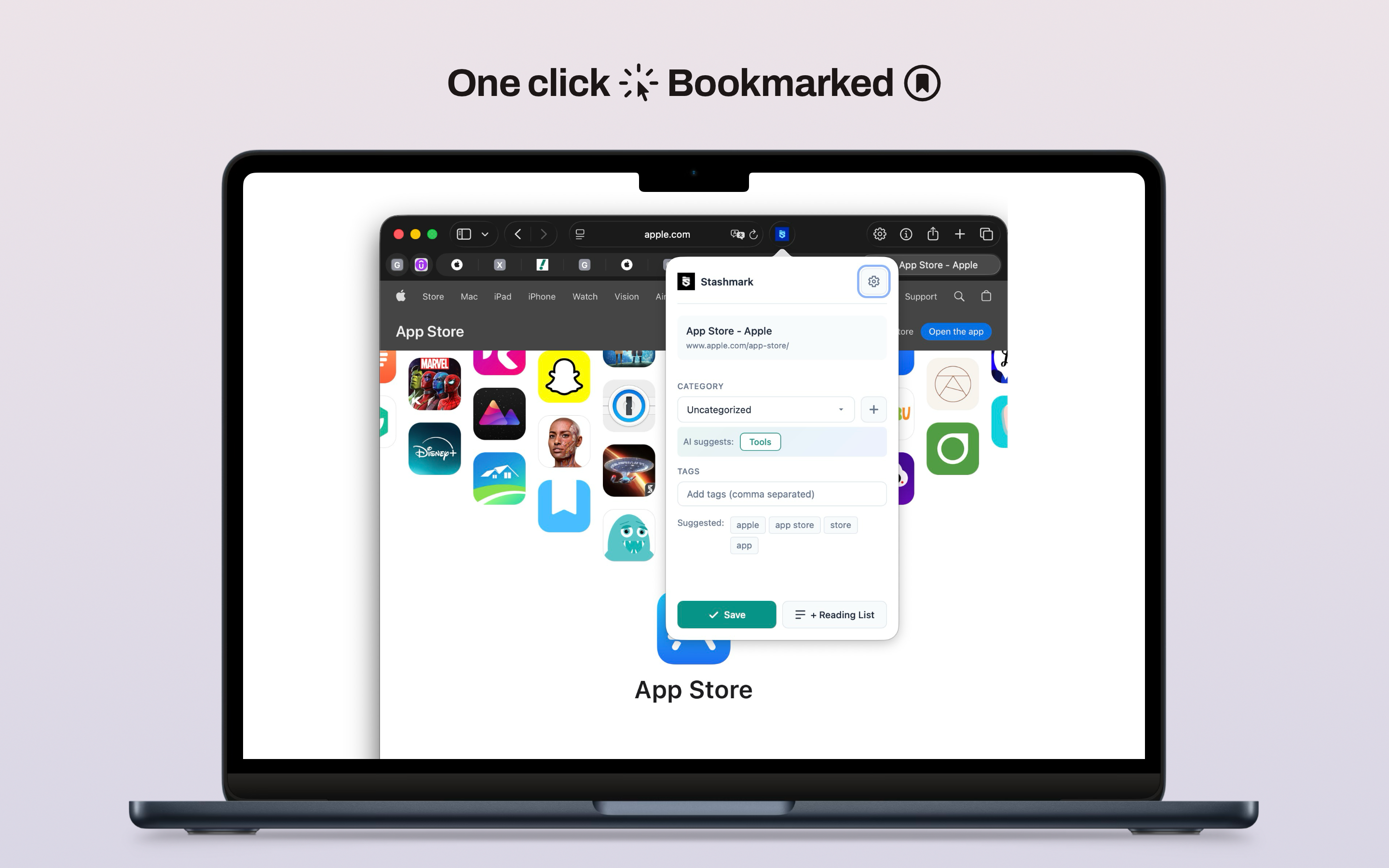
Stashmark is built around that moment. It lets you save quickly through a keyboard shortcut from within Safari, keeps the interaction native to the browser you are already in, and uses on-device categorization to suggest a category while the page is still fresh. Adding a quick note is optional but possible. The whole process takes a few seconds.
That save experience is different from a bookmarking workflow because the friction of organizing is addressed immediately rather than deferred to a cleanup session that usually never happens. The library you build this way is categorized from the start, not a pile you intend to sort later.
How on-device categorization works
Stashmark uses Apple's Natural Language framework to analyze the page title and URL at save time and suggest a category. That processing happens entirely on your Mac. The URL is never sent to an external classification service, and there is no Stashmark account system required to make the feature work.
The classification model is not perfect — it works from the page title and URL rather than the full page content, since the extension does not scrape the body text of every page you save. That means it works better for pages with descriptive titles and URLs than for pages with generic headings. You can always correct the suggested category before saving, and the correction is immediate.
The practical result is that most links land in a useful category without requiring manual input. The AI suggestion reduces the friction of organizing to the point where it becomes the default behavior rather than the exception. Over weeks and months of active use, the library grows categorized rather than growing as an unsorted pile.
Why we prefer user-owned sync
A research library becomes more valuable as it gets older. Notes and sources that seemed peripheral when you saved them sometimes become central to something you are working on a year later. That long-term value means the library should not depend on a proprietary service layer to remain accessible.
Stashmark uses CloudKit to sync your library across your Apple devices. That means the sync runs through your personal Apple ID, not through a Stashmark account. XAppNova does not see your library, cannot lose access to it, and cannot hold it hostage if the business changes direction or the service is discontinued.
Using CloudKit also means the privacy model is the same as your contacts or notes. Apple provides the infrastructure; the data belongs to you. There is no Stashmark back end that receives a copy of your saved links to enable the sync.
Building a library over months, not days
The value of a well-maintained link library is not visible on day one. It builds incrementally. After three months of saving with categories and notes, the library becomes a navigable record of what you have read and what you considered worth keeping. Search starts returning useful results because the content is organized enough to be searchable.
The export feature in Stashmark reflects this long-term thinking. You can export your entire library as JSON or as a Netscape-format HTML file that most browsers can import. That means your data is portable regardless of what happens with the product or the platform. The library you built is yours to take.
The long-term goal is not to make you dependent on one more app for something you already did without thinking. It is to make the saving and retrieval behavior you already have work better, so that the time you spend reading and researching actually compounds into something you can reference later.
Who this is for
The product fits anyone who reads to build something later: developers collecting documentation across multiple frameworks, students gathering sources for a paper or thesis, writers saving references and ideas for pieces in progress, or curious people building long-lived topic folders they return to regularly.
It does not fit people who want a read-later queue for articles they will clear by the weekend. That workflow is served well by existing tools. Stashmark is specifically for people who save things to revisit over months, whose saved links are more like a research database than an inbox, and who are tired of not being able to find what they remember saving.
The goal is not to build another everything-app for productivity. The goal is to make saved links usable again — to close the gap between the act of saving and the act of retrieving. That is a narrower problem than most bookmark tools try to solve, and being narrower about it is what makes the solution work.